 Credit: Lucas Gouveia / Android Police
 By
Rahul Naskar
Published Mar 2, 2026, 3:00 PM EST
Rahul Naskar has years of experience writing news and features related to Android, phones, and apps. Outside the tech world, he follows global events and developments shaping the world of geopolitics.
Sign in to your Android Police account
Add Us On
Summary
Generate a summary of this story
follow
Follow
followed
Followed
Like
Like
Thread
Log in
Here is a fact-based summary of the story contents:
Try something different:
Show me the facts
Explain it like I’m 5
Give me a lighthearted recap
By
Rahul Naskar
Published Mar 2, 2026, 3:00 PM EST
Rahul Naskar has years of experience writing news and features related to Android, phones, and apps. Outside the tech world, he follows global events and developments shaping the world of geopolitics.
Sign in to your Android Police account
Add Us On
Summary
Generate a summary of this story
follow
Follow
followed
Followed
Like
Like
Thread
Log in
Here is a fact-based summary of the story contents:
Try something different:
Show me the facts
Explain it like I’m 5
Give me a lighthearted recap
I use the Samsung Galaxy S21 as my primary phone, and I have been using it since 2022. Over the past four years, I have never needed to perform a reset to fix anything on my phone.
It made my life easier because I didn’t have to double-check whether I moved all my important files to cloud storage. Despite there being no real need, I recently opened the My Files app on my S21.
I can’t remember the last time I opened the app, though I’m glad that I finally did. It made me realize many things about how I use my phone.
To be more specific, the Downloads folder on my phone revealed some uncomfortable truths about my usage.
However, the realization didn’t come instantly after I opened the Downloads folder. It hit me when I was cleaning the Downloads folder to remove everything that I no longer needed.
While cleaning up the Downloads folder, I found things I forgot existed. Here is how I learned a few things about myself from that cleanup exercise.
 Related
How to find downloads on your Android phone or tablet
Related
How to find downloads on your Android phone or tablet
Learn to manage your device's downloads folder
Posts 7 By Faith LerouxThe Downloads folder showed what I wanted to become
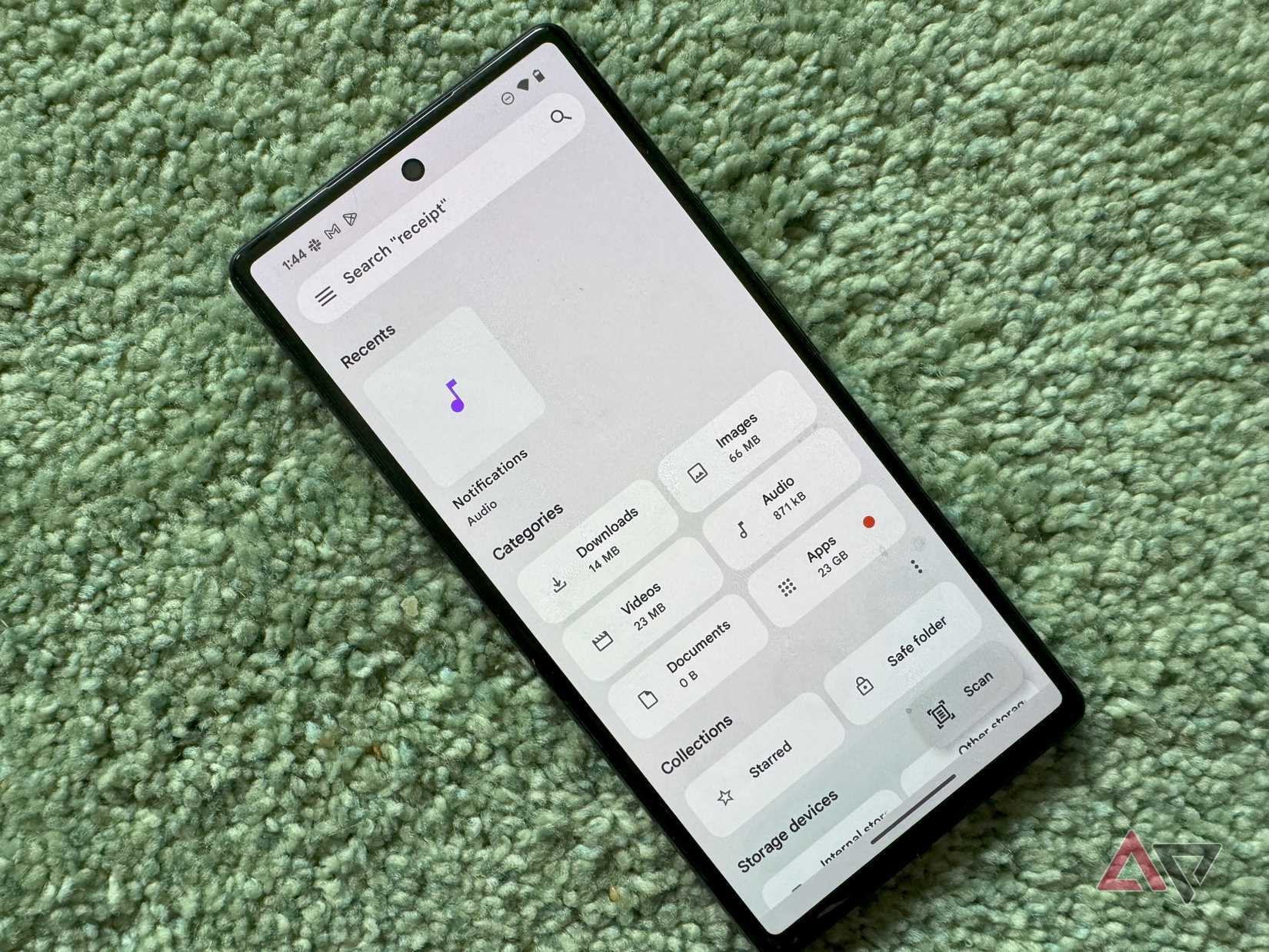
The Downloads folder on my phone had plenty of meme materials, including the ones that I no longer find funny. I deleted them immediately to free up some space.
No love lost there. But everything else, other than memes, showed me a mirror to reflect on my hobby hopping, which I didn’t even know existed until I opened the Downloads folder a few days ago.
The Downloads folder collected files for more than four years, so the sample size was quite large. It showed there used to be a time when I was quite enthusiastic about learning Tamil, an Indian language that’s also one of the oldest in the world.
I found PDFs of basic Tamil letters and the grammar rules, useful phrases, and proverbs that are commonly used. I remember practicing Tamil letters daily from those PDFs.
That was all that I did to learn the language. I can’t remember when exactly I lost interest or stopped pushing myself to go deeper and finish all the lessons that I planned to learn.
I also found videos on programming and personal finance, which I downloaded from the internet. I watched all the personal finance videos, but I never watched those programming tutorials.
Programming isn’t for me, so it doesn’t matter. Files that I downloaded then are of no use to me now. Instead, they hold a completely different meaning than what they actually are.
I also downloaded gym plans from the internet a couple of years ago, but never opened those files until I found them again while cleaning up the Downloads folder.
I am still keeping them on my phone and promised myself to follow the routine to get into good shape.
As disappointed as I felt about not completing those lessons, they all showed me what I wanted to become and the skills I wanted to have. I also felt proud of my old self for this.
I’ll never repeat the same mistakes again
 Credit: Lucas Gouveia/Android Police
It’s been several months since I picked up something to learn. It made me lazy, so I am planning to go back to learning Tamil.
However, I won’t need those PDFs, nor will I watch video lessons on YouTube. Instead, I’m planning to learn the language using NotebookLM. This is why I deleted them from the Downloads folder.
This doesn’t mean I’ll stop downloading things from the internet to learn something new. However, I’ll never make the same mistake again.
The cleanup job clearly showed that I set more goals than I pursued them. So, this time around, I’ll pick one at a time and won’t commit to learning more until I achieve my current target.
Subscribe to the newsletter for smarter phone file tips
Want a cleaner phone? Subscribe to the newsletter that covers practical phone cleanup, Downloads-folder strategies, and simple habit tactics — coverage aimed at actionable file-management ideas and ways to stick to learning goals. Get Updates By subscribing, you agree to receive newsletter and marketing emails, and accept our Terms of Use and Privacy Policy. You can unsubscribe anytime.It won’t flood my Downloads folder like previously, and that also means I will have to worry less about doing the cleanup job.
My appeal to the developers of file management apps
I love the auto-delete functionality of the Trash folder. After I move something to the Trash folder, Android will automatically delete it after 30 days if I don’t restore it.
I wish the Downloads folder were this smart. I want it to keep track of files that I haven’t opened a single time since I first downloaded them and notify me after a certain period of time.
Android already applies this trick to unused apps by putting them into deep sleep. All I’m asking for is to apply the same strategy to unused files in the Downloads folder.
I want my phone to automatically move those files to trash and notify me or seek my permission before doing it.
This must be optional, though. Give me a toggle to enable this feature from settings. It’d easily become one of my favorite tricks to manage files efficiently.
Follow Followed Like Share Facebook X WhatsApp Threads Bluesky LinkedIn Reddit Flipboard Copy link Email Close Trending Now How to install the Google Play Store on every Amazon Fire tablet
 I replaced Google Docs with a faster alternative after 13 years
 6 reasons to add your passport to Google Wallet